Address

C-124, Industrial Area, Phase 8 - Mohali PB

Phone Number

+91 74 151515 23

============================================================ -->
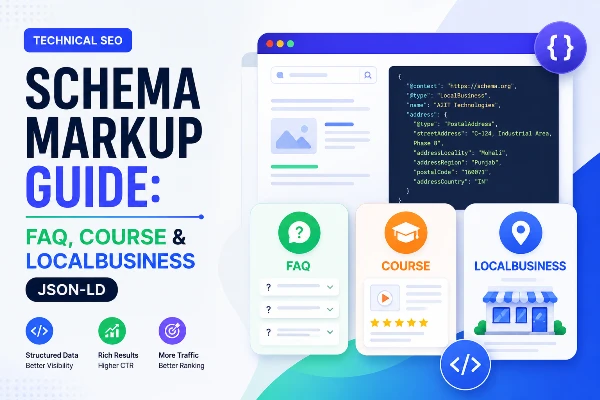
Schema Markup Guide: FAQ, Course & LocalBusiness JSON-LD

Schema Markup Guide: FAQ, Course & LocalBusiness JSON-LD

  • Home
  • Schema Markup Guide: FAQ, Course & LocalBusiness JSON-LD
📘 Part 6 of 7 — Technical SEO Audit Masterclass
Series Progress
1 · Introduction 2 · Crawling 3 · Rendering 4 · Indexing 5 · Core Web Vitals 6 · Schema Markup 7 · Site Structure

Schema Markup — Helping Google Understand Your Content

You have made sure Google can find your pages, render them, index them, and load them fast. Now comes the final layer of technical SEO — helping Google understand what your content actually means.

When Google reads your page, it can see the words — but it cannot always understand the context. Is this piece of text a course name or a blog title? Is this number a price, a phone number, or a rating? Is this question an FAQ or just a heading?

Schema markup is how you answer these questions for Google — in a language it fully understands.

📦 ANALOGY
Think of your webpage like a job application CV. Without labels, a recruiter might not know which number is your phone and which is your roll number. Schema markup is like adding clear labels to every piece of information — "this is phone number", "this is qualification", "this is experience". Google reads these labels and can then display your information in the most useful and attractive way possible.
🎯
Related Course — A2IT InternEdge Mohali Digital Marketing & SEO Internship Course Learn schema markup and technical SEO with live projects · Free demo class

1. What is Schema and Why It Matters for Rich Results

Schema markup (also called structured data) is code that you add to your webpage to help search engines understand your content. It uses a standard vocabulary from schema.org — a project created jointly by Google, Microsoft, Yahoo, and Yandex in 2011 specifically to create a common language for describing web content.

What are rich results?

Rich results are enhanced search listings that go beyond the basic blue link, URL, and description. They show extra information directly in Google search results — making your listing bigger, more detailed, and more clickable than competitors.

www.a2itsoft.com › blog › technical-seo-audit-guide
What is a Technical SEO Audit? — A2IT InternEdge
Learn what a technical SEO audit is, why it matters, and which tools you need. A step-by-step beginner's guide by A2IT InternEdge, Mohali.
What is a technical SEO audit?
When should I run a technical SEO audit?
What tools do I need for a technical SEO audit?
↑ This is what your result looks like WITH FAQ schema — expandable questions directly in Google search

What types of rich results can schema unlock?

Schema typeRich result you getBest for
FAQPageExpandable Q&A boxes below your listingBlog posts, service pages, course pages
Article / BlogPostingArticle carousel, author, date in resultsAll blog posts and news articles
CourseCourse listing with name, provider, priceTraining and internship course pages
LocalBusinessBusiness panel with address, hours, phonePhysical location pages, homepage
BreadcrumbListBreadcrumb path shown in URL areaAll pages with category structure
ProductPrice, availability, star ratings in resultsE-commerce product pages
EventEvent date, location, ticket infoWebinars, workshops, batch start dates
Review / AggregateRatingStar ratings shown under your titleCourse pages, service pages
VideoObjectVideo thumbnail in search resultsPages with YouTube or hosted videos
HowToStep-by-step guide with images in searchTutorial and how-to blog posts

Three formats of schema — which one to use

FormatHow it worksRecommended?
JSON-LD ✅Separate script tag in head — does not mix with HTMLYES — Google's preferred format. Easiest to write and maintain.
MicrodataAttributes added directly inside HTML elementsNO — messy, hard to maintain, mixes with content
RDFaAttributes added to HTML — similar to MicrodataNO — complex, rarely used for new implementations
💡 RULE
Always use JSON-LD format. Google recommends it. It sits in a separate script tag — you can edit it without touching your page content. All examples in this guide use JSON-LD.

Does schema directly improve rankings?

Schema markup does not directly boost your ranking position. Google has confirmed this. However, it helps indirectly in two very powerful ways:

  • Rich results increase CTR (click-through rate) — an FAQ result that takes up triple the space on the search page gets far more clicks than a plain link. More clicks signal to Google that your page satisfies users.
  • Better understanding = better indexing — when Google understands your content precisely, it can match it to more relevant searches. A course page with Course schema will appear in more course-related searches than one without.
📌 REAL
An Indian digital marketing agency added FAQPage schema to 12 blog posts. Within 6 weeks, 8 of those posts started showing expandable FAQ boxes in Google search. Their average CTR jumped from 3.2% to 7.8% — more than double — without any change in ranking position. More clicks from the same position means more traffic from the same SEO effort.

2. Most Important Schema Types — FAQ, Article, LocalBusiness, Course

There are hundreds of schema types on schema.org. For an IT training institute like A2IT InternEdge, four schema types will give you the highest return. Let us go through each one with complete, copy-ready JSON-LD code.

FAQPage Schema
Rich result: Expandable Q&A boxes in search
Use on: Blog posts, course pages, any page with FAQ section
Impact: Very High — doubles listing size in search results
📝Article / BlogPosting Schema
Rich result: Article carousel, author info, publish date
Use on: Every blog post and news article
Impact: Medium — helps Google classify and surface content
🏢LocalBusiness Schema
Rich result: Business knowledge panel with map, hours, phone
Use on: Homepage and contact page
Impact: Very High — essential for local SEO in Mohali/Chandigarh
🎓Course Schema
Rich result: Course listing with name, provider, description
Use on: Every course and internship page
Impact: High — appears in Google's course search feature

Schema Type 1 — FAQPage Schema (Complete Code Example)

FAQPage schema is the easiest to implement and gives the most visible result. Every page on your website that has a FAQ section should have this schema. Add it inside the <head> tag of the page.

💡 RULE
The questions and answers in your FAQPage schema must exactly match the FAQ content visible on your page. Google checks this. If your schema has different questions from what is on the page — Google will reject the rich result.
<!-- FAQPage Schema — paste inside <head> tag --><script type="application/ld+json">
{ "@context": "https://schema.org", "@type": "FAQPage", "mainEntity": [ { "@type": "Question", "name": "What is a Digital Marketing Internship?", "acceptedAnswer": { "@type": "Answer", "text": "A Digital Marketing Internship is a 3 to 6 month practical training program where students learn SEO, Google Ads, Social Media Marketing, Content Marketing, and Email Marketing through live projects. At A2IT InternEdge, students work on real client campaigns with expert mentors in Mohali, Chandigarh." } }, { "@type": "Question", "name": "What is the fee for the Digital Marketing course at A2IT Mohali?", "acceptedAnswer": { "@type": "Answer", "text": "A2IT InternEdge offers affordable Digital Marketing Internship courses with installment options. Contact us at [email protected] or call +91 78141 41400 for current fee details and available batch timings." } }, { "@type": "Question", "name": "Does A2IT provide placement after the Digital Marketing course?", "acceptedAnswer": { "@type": "Answer", "text": "Yes. A2IT InternEdge provides 100% job placement assistance after course completion. Our placement team helps students with resume preparation, interview practice, and connects them with hiring companies. Many students receive job offers during their internship period itself." } } ]
}
</script>

Schema Type 2 — Article / BlogPosting Schema (Complete Code Example)

Every blog post on your website should have BlogPosting schema. This tells Google it is an article, who wrote it, when it was published, and what it is about. Google uses this to show articles in the Top Stories carousel and Discover feed.

<!-- BlogPosting Schema — paste inside <head> of every blog post --><script type="application/ld+json">
{ "@context": "https://schema.org", "@type": "BlogPosting", "headline": "What is a Technical SEO Audit and Why Does it Matter?", "description": "Learn what a technical SEO audit is, how it differs from on-page and off-page SEO, when to run one, and which tools you need — a beginner's guide by A2IT InternEdge.", "image": { "@type": "ImageObject", "url": "https://www.a2itsoft.com/images/blogs/technical-seo-audit.jpg", "width": 1200, "height": 630 }, "url": "https://www.a2itsoft.com/blog/technical-seo-audit-masterclass-a-step-by-step-guide-for-beginners", "datePublished": "2026-05-09", "dateModified": "2026-05-09", "author": { "@type": "Organization", "name": "A2IT InternEdge", "url": "https://www.a2itsoft.com" }, "publisher": { "@type": "Organization", "name": "A2IT InternEdge", "logo": { "@type": "ImageObject", "url": "https://www.a2itsoft.com/images/logo.png" } }, "mainEntityOfPage": { "@type": "WebPage", "@id": "https://www.a2itsoft.com/blog/technical-seo-audit-masterclass-a-step-by-step-guide-for-beginners" }
}
</script>

Schema Type 3 — LocalBusiness / EducationalOrganization Schema

This is the most important schema for A2IT InternEdge. It tells Google all the key business details — name, address, phone, hours — and helps your business appear in Google's local knowledge panel and Google Maps results.

For training institutes, use EducationalOrganization as the type (which extends LocalBusiness) since it is more specific and accurate.

<!-- LocalBusiness / EducationalOrganization Schema --><!-- Add this ONCE — in homepage <head> or site-wide header --><script type="application/ld+json">
{ "@context": "https://schema.org", "@type": "EducationalOrganization", "@id": "https://www.a2itsoft.com/#organization", "name": "A2IT InternEdge", "alternateName": "A2IT Soft Pvt. Ltd.", "url": "https://www.a2itsoft.com", "logo": "https://www.a2itsoft.com/images/logo.png", "description": "A2IT InternEdge is a leading IT training and internship institute in Mohali, Chandigarh. Established in 2001, offering Digital Marketing, Full Stack, Cybersecurity, Data Science, AI, and more with 100% placement support.", "foundingDate": "2001", "telephone": "+91-78141-41400", "email": "[email protected]", "address": { "@type": "PostalAddress", "streetAddress": "C-124, Industrial Area, Phase 8", "addressLocality": "Mohali", "addressRegion": "Punjab", "postalCode": "160071", "addressCountry": "IN" }, "geo": { "@type": "GeoCoordinates", "latitude": 30.7046, "longitude": 76.7179 }, "openingHoursSpecification": [ { "@type": "OpeningHoursSpecification", "dayOfWeek": [ "Monday","Tuesday","Wednesday", "Thursday","Friday","Saturday" ], "opens": "09:00", "closes": "19:00" } ], "areaServed": [ "Mohali","Chandigarh","Panchkula", "Zirakpur","Kharar" ], "hasOfferCatalog": { "@type": "OfferCatalog", "name": "IT Training and Internship Courses" }, "sameAs": [ "https://www.a2itsoft.com", "https://www.internedge.me" ]
}
</script>

Schema Type 4 — Course Schema (Complete Code Example)

Google has a dedicated Course search feature — when users search "digital marketing course Mohali" or "SEO internship Chandigarh", Google can show a special course listing card. Course schema is what makes your course pages eligible for this feature.

Add Course schema to every individual course page — one schema block per course page.

<!-- Course Schema — add to each course/internship page individually --><!-- Example: Digital Marketing Internship Course page --><script type="application/ld+json">
{ "@context": "https://schema.org", "@type": "Course", "name": "Digital Marketing & SEO Internship Course", "description": "Learn Digital Marketing, SEO, Google Ads, Social Media Marketing, and Content Marketing through live projects at A2IT InternEdge, Mohali. 6-month internship with 100% placement support and industry-recognized certification.", "url": "https://www.a2itsoft.com/digital-marketing-internship-course", "provider": { "@type": "Organization", "name": "A2IT InternEdge", "url": "https://www.a2itsoft.com", "sameAs": "https://www.a2itsoft.com" }, "courseCode": "A2IT-DM-001", "educationalLevel": "Beginner to Intermediate", "inLanguage": "en-IN", "teaches": [ "Search Engine Optimization (SEO)", "Google Ads and PPC Advertising", "Social Media Marketing", "Content Marketing and Blogging", "Google Analytics and Search Console", "Email Marketing" ], "hasCourseInstance": { "@type": "CourseInstance", "courseMode": ["Blended","Onsite","Online"], "duration": "P6M", "inLanguage": "en-IN", "courseWorkload": "PT4H", "location": { "@type": "Place", "name": "A2IT InternEdge", "address": { "@type": "PostalAddress", "streetAddress": "C-124, Industrial Area, Phase 8", "addressLocality": "Mohali", "addressRegion": "Punjab", "postalCode": "160071", "addressCountry": "IN" } } }, "offers": { "@type": "Offer", "category": "Paid", "priceCurrency": "INR", "availability": "https://schema.org/InStock", "url": "https://www.a2itsoft.com/digital-marketing-internship-course" }
}
</script>
⭐ PRO TIP
Add Course schema to every single course page on your website — Web Development, AI/ML, Cybersecurity, Data Analytics, HR, Finance, and all others. Each page with its own Course schema becomes independently eligible for Google's course listing feature. This can multiply your search visibility across multiple keywords.

3. How to Validate Schema Using Google's Rich Results Test

After writing your schema code, you must validate it before publishing. Errors in schema code mean Google ignores it entirely — and you lose all the rich result benefits. Validation takes less than 2 minutes and is completely free.

Method 1 — Google Rich Results Test (primary tool)

1
Open the Rich Results Test

Go to search.google.com/test/rich-results in your browser. This is Google's official free schema testing tool.

2
Test by URL or by code

Choose URL to test a live page — paste your page URL and click Test URL. Choose Code to test schema before publishing — paste your JSON-LD code directly and click Test Code. Use Code testing while writing schema so you can fix errors before going live.

3
Read the results carefully

The tool shows all schema types detected on your page. For each type it shows: Eligible for rich results (green — your schema is valid and can show rich results), Errors (red — must fix before rich results are possible), Warnings (yellow — optional but recommended to fix).

4
Click on each detected schema type

Expand each detected schema to see all properties Google found. Check that name, description, image, datePublished, and other required fields are present and correct.

5
Fix all errors and retest

Copy your schema code, fix the errors, paste the corrected code back into the Code tab, and test again. Repeat until you see green — Eligible for rich results — with zero errors.

Method 2 — Schema Markup Validator (technical validation)

1
Open validator.schema.org

This tool validates your schema against the full schema.org specification — it is more strict than the Rich Results Test and catches more technical errors.

2
Paste your URL or code

Works the same way as the Rich Results Test — URL tab for live pages, Code tab for testing before publishing.

3
Review the structured data tree

This validator shows your schema as a visual tree — each property and its value. Missing required properties show in red. Unexpected properties show in yellow. Correct properties show in green.

Method 3 — Google Search Console Rich Results report

  1. Open Google Search Console → click Search Appearance in the left sidebar.
  2. You will see all schema types Google has detected on your website.
  3. Click any schema type to see which pages have valid schema, which have errors, and which have warnings.
  4. This report shows real-world data — it tells you which pages are actually showing rich results in Google search and which are failing.
  5. Click any page URL to see the specific error and a link to the Rich Results Test for that page.
💡 WORKFLOW
Best practice workflow: Write schema → test with Code tab in Rich Results Test → fix errors → publish to live page → test with URL tab → check GSC Rich Results report after 7–14 days to confirm Google detected it. This three-step process catches 99% of errors before they reach Google.

4. Common Schema Errors and How to Fix Them

These are the most common schema errors found in Indian websites — each one prevents Google from showing rich results. Check your schema against every error in this list.

🔴
Error 1 — JSON Syntax Error (most common)
A missing comma, unclosed bracket, or wrong quote type makes the entire schema invalid. Google cannot read malformed JSON — it ignores the whole block. Even one character error breaks everything.
Fix: Use the Rich Results Test Code tab after writing schema — JSON syntax errors are highlighted immediately. Common mistakes: using single quotes instead of double quotes, missing comma after a property, or an extra comma after the last property in an object.
// BAD — missing comma after "headline" property{ "@context": "https://schema.org", "@type": "BlogPosting", "headline": "My Blog Post Title" // ← missing comma here — JSON invalid "datePublished": "2026-05-09"
}// GOOD — comma after every property except the last one{ "@context": "https://schema.org", "@type": "BlogPosting", "headline": "My Blog Post Title", // ← comma present "datePublished": "2026-05-09" // ← no comma on last property}
🔴
Error 2 — Missing Required Fields
Every schema type has required fields. Without them, Google marks the schema as having errors and will not show rich results. For example, Course schema requires name and description. FAQPage requires at least one Question with a name and acceptedAnswer. BlogPosting requires headline, image, datePublished, and author.
Fix: Check the required properties for your schema type at developers.google.com/search/docs/appearance/structured-data. The Rich Results Test also lists which required properties are missing with a red error label.
🔴
Error 3 — Schema Does Not Match Page Content
This is the most serious error. If your FAQPage schema contains questions that are NOT visible on the actual page — Google rejects it as deceptive. Schema must always reflect what is actually on the page. You cannot add schema for content that only exists in the code but is hidden from users.
Fix: Every question in your FAQPage schema must be visible and readable on the page. Every course name in Course schema must match the actual course name shown to users. Every answer must appear on the page — never in schema only.
🟡
Error 4 — Image Missing or Wrong Size
BlogPosting and Article schema require an image. If the image URL is broken (returns 404), too small (under 696px wide), or not the right aspect ratio, Google will show a warning or error and may not show the article in image-rich results like Top Stories or Discover.
Fix: Always use an image that is at least 1200 x 630 pixels (16:9 ratio) for blog posts. Make sure the image URL is absolute (https://www.a2itsoft.com/images/...) and the image actually exists and loads correctly. Test the image URL directly in your browser.
🟡
Error 5 — Duplicate or Conflicting Schema on Same Page
Having two separate BlogPosting schema blocks on the same page with different headlines confuses Google. Having both a Product and a Course schema for the same item can cause conflicts. Multiple FAQPage schemas with overlapping questions is also problematic.
Fix: Each page should have only ONE block of each schema type. If you have multiple course offerings on one page, list them all inside a single Course schema using ItemList — do not create separate Course schema blocks for each one on the same page.
🟡
Error 6 — Using Relative URLs Instead of Absolute URLs
Using /images/logo.png instead of https://www.a2itsoft.com/images/logo.png in schema properties like image, url, and logo causes errors. Schema requires fully qualified absolute URLs including the protocol (https://) and domain.
Fix: Always use complete absolute URLs in every schema field. Search your schema code for any URL that starts with / or does not start with https:// and replace them with the full URL.
🟡
Error 7 — Wrong @type for Your Content
Using BlogPosting type for a course page, or using Product type for a service, or using Article instead of FAQPage for a FAQ section — mismatched types confuse Google and reduce the chance of the right rich result appearing.
Fix: Match your @type exactly to the content on the page. Course pages get Course schema. Blog posts get BlogPosting. FAQ sections get FAQPage. Homepage gets EducationalOrganization. If in doubt, check schema.org for the correct type for your content.
🟡
Error 8 — Incorrect Date Format
Dates must be in ISO 8601 format (YYYY-MM-DD). Writing "May 9, 2026" or "09/05/2026" instead of "2026-05-09" causes a validation error. Google cannot parse non-standard date formats in schema.
Fix: Always write dates as YYYY-MM-DD. For datePublished use "2026-05-09". For dateModified, update this field every time you make significant changes to the page content.
⭐ PRO TIP
After fixing schema errors and publishing your page, use URL Inspection → Request Indexing in Google Search Console to speed up Google's discovery of your corrected schema. Then check back in the GSC Rich Results report after 7–14 days to confirm Google has detected your schema and it is showing as valid.
📈
Want to master schema and technical SEO practically? Digital Marketing Internship — A2IT InternEdge Mohali Learn JSON-LD schema, GSC rich results, and more with live projects

Schema Markup Checklist — Section Summary

  • Always use JSON-LD format — paste inside <head> tag as a script block
  • Add FAQPage schema to every page with a visible FAQ section
  • Add BlogPosting schema to every blog post with image, datePublished, and author
  • Add EducationalOrganization schema on homepage with address, phone, and hours
  • Add Course schema to every individual course and internship page
  • Validate every schema using Rich Results Test before AND after publishing
  • Schema must match visible page content exactly — never add schema for hidden content
  • Always use absolute URLs (https://www.a2itsoft.com/...) — never relative URLs (/image.jpg)
  • Fix all red errors first — then address yellow warnings
  • After publishing — request indexing in GSC and check Rich Results report after 2 weeks
Frequently Asked Questions — Schema Markup
Schema markup is structured data code that you add to your webpage to help Google understand what your content is about. It uses a standard vocabulary from schema.org to label your content — telling Google that a piece of text is an FAQ answer, a course name, a business address, or a product price. This helps Google display your content as rich results in search — like expandable FAQ boxes, star ratings, course listings, and event dates.
Rich results are enhanced search listings that show extra information directly in Google search — for example expandable FAQ questions, star ratings, course details, event dates, and recipe images. Schema markup is the code that tells Google which parts of your page qualify for these rich results. Without schema, Google has to guess what your content means. With schema, you tell Google exactly what it is — making rich results much more likely to appear.
JSON-LD stands for JavaScript Object Notation for Linked Data. It is the schema format recommended by Google. You write the schema code inside a script tag in your page head — completely separate from your HTML content. This makes it easy to add, edit, and maintain without touching your visible page content. The other formats — Microdata and RDFa — embed schema attributes directly in HTML, making them messy and hard to manage. JSON-LD is always the right choice for new implementations.
For an IT training institute like A2IT InternEdge, the most important schema types are: EducationalOrganization for your institute details on the homepage, Course for each training and internship course page, FAQPage for FAQ sections on any page, BlogPosting for all blog content, BreadcrumbList for navigation breadcrumbs in search results, and Review or AggregateRating to show star ratings in search results when you have student reviews.
There are two main tools. First, Google Rich Results Test at search.google.com/test/rich-results — paste your URL or schema code and it shows which rich results your schema qualifies for and any errors or warnings. Second, Schema Markup Validator at validator.schema.org — a more technical validator that checks against the full schema.org specification. Always fix red errors first as they prevent rich results. Yellow warnings are optional improvements but should be addressed when possible.
Schema markup does not directly improve your Google ranking position — Google has confirmed it is not a direct ranking factor. However, schema helps indirectly by enabling rich results which make your listing larger and more visually appealing in search. Rich results typically get a much higher click-through rate than plain blue links. More clicks tell Google your page satisfies user intent — which can improve rankings over time. Schema also helps Google understand your content better, improving indexing accuracy.
The most common schema errors are: JSON syntax errors like missing commas or wrong quote types (breaks the entire schema), missing required fields like image or datePublished in BlogPosting schema, schema that does not match visible page content, image URLs that return 404 or are too small, using relative URLs instead of absolute URLs, and incorrect date formats (must be YYYY-MM-DD not DD/MM/YYYY). All of these can be caught and fixed using the Rich Results Test before publishing.
After adding schema correctly, Google typically needs to recrawl and reindex your page before rich results appear. This can take a few days to a few weeks depending on your site's crawl frequency. Speed up the process by using the URL Inspection tool in Google Search Console and clicking Request Indexing after adding schema. Even after Google processes the schema, rich results are not guaranteed — Google decides whether to show them based on content quality and how well the schema matches the page.
A2IT InternEdge in Phase 8, Mohali offers a Digital Marketing and SEO Internship Course where you learn schema markup, JSON-LD structured data, Google Search Console rich results, technical SEO auditing, and more with live projects and placement support. Visit a2itsoft.com/digital-marketing-internship-course to book a free demo class.
▶ Final Part — Part 7

Site Structure — The Complete Technical SEO Audit Checklist

You have covered all the major technical SEO topics. In the final part we bring everything together with a complete site structure guide and full audit checklist:

  • URL structure best practices for large websites
  • Internal linking strategy — how to distribute link equity
  • Breadcrumbs and their role in site structure SEO
  • Siloing content for topical authority
  • Complete 50-point technical SEO audit checklist
Read the Final Part →

Recent Posts

Performance Marketing: The Complete Guide to Google Ads
Site Structure SEO Guide: URLs, Internal Links & Content Siloing
Schema Markup Guide: FAQ, Course & LocalBusiness JSON-LD
Core Web Vitals Guide: LCP, INP, CLS & Quick Fixes
Technical SEO Indexing Guide: noindex, Coverage Errors & Canonical
Technical SEO Rendering Guide: What Google Sees vs Users
Technical SEO Audit Part 2: Crawling — How to Make Sure Google Can Find Every Page on Your Website
Technical SEO Audit Masterclass — a step-by-step guide for beginners
Top 10 Programming Languages for Beginners and Developers
Free vs Paid vs Stipend-Based Internships – Which is Best for Students & Where to Apply?
How to Choose the Best Digital Marketing Company in Chandigarh India(2026 Guide)

Top 10 Stipend Based Internships in Chandigarh for Students
Full Stack Developer Courses in Chandigarh
MCA Internship in Chandigarh – Complete Guide for Students
Cyber Security and Ethical Hacking – Complete Guide for Students
software Development Company in Chandigarh
6 Months Industrial Training in Chandigarh
HRM with AI: How Artificial Intelligence Is Helping HRs
6 Months Industrial Training in Mohali
अगर आज आपको AI से डर लग रहा है… तो Read Carefully
Best Industrial Training Institute in Mohali
Free Internship for Students in Mohali
A2IT InternEdge Sponsors India’s First AI Fest 2026 at Chandigarh University: A Glimpse into the Future
Skills That Will Be in Demand in the Next Five Years
45 Days Internship in Mohali: Short Time, Big Experience
The Future of Digital Forensics: Career Paths, Job Roles, and How to Get Started
Software Testing Roadmap 2026: Step-by-Step Guide to Build a Successful QA Career
SEO Content Writing Strategies That Actually Work in 2026
When Creativity Meets AI: A New Way of Creating Content
What is an AI Agent, and Why It Will Matter in 2026
The Future of AI in Digital Marketing
Digital Marketing: The Skill That Can Shape Your Future
Importance of 6 Month Internship: A complete Guide for Students and Freshers
Online Internship vs Offline Internship: A complete Guide For Students
A2IT InternEdge Online Internship: Learn, Intern, Succeed
Top 10 Companies in Mohali & Chandigarh for Training and Internship
Master your Business Finances with Tally ERP 9
From Mohali to 140 Countries: A2IT InternEdge’s Journey Toward Global Skill Empowerment
Understanding Google Ads Optimization: How to stop Wasting Budget and Boost ROI
How to Learn Ethical Hacking Step by Step for Beginners
MERN Stack Development Roadmap for Students
Artificial Intelligence and Machine Learning: Shaping the Future of Technology
How Finance Internship help you Grow your Career: Proper Guidance to start your Journey in Finance
Hiring the Best Web Design Service in Mohali: Key Factors to Consider
From Keywords to Conversions: How Programmatic SEO Services Work
Build a High Growth Career: Why Becoming a Data Analyst in 2026 is a Game Changer
The Role of Web Development Company In Scaling Your Business
Pros and Cons of Free Internships — Are They Really Worth It?
Why Internship plays vital role for BBA and MBA students
How to Develop Communication Skills that make you Stand Out?
How Internships Improve Your Resume and Job Prospects?
Why Choose a Financial Modelling Internship Program?
Which is the Best Institute to Learn Ethical Hacking in Mohali and Chandigarh?

Need Help? We Are Here
To Help You

You Get Online support

+91 74 151515 23 Contact Us