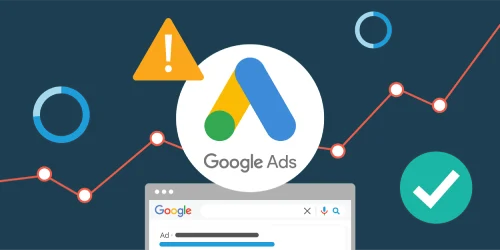
Performance Marketing: The Complete Guide to Google Ads
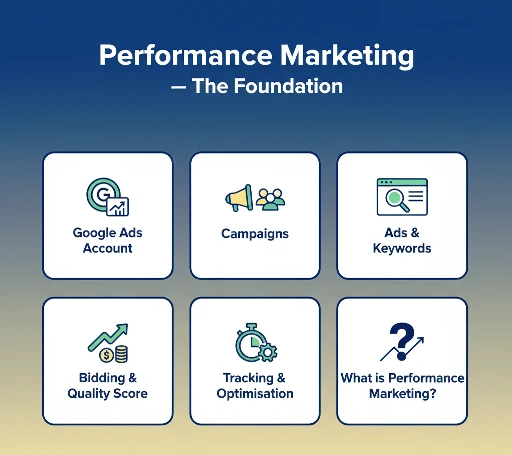
What is Performance Marketing? — The Foundation
Before we open a single Google Ads account, you need to understand what performance marketing actually means — because it changes the way you think about every rupee you spend on advertising.
Traditional advertising — a newspaper ad, a TV commercial, a hoarding near Phase 8 Mohali — charges you money regardless of results. Whether 10 people see it or 10,000, you pay the same fixed amount. You have no idea how many people actually took action because of it.
Performance marketing is the opposite. You only pay when something measurable happens. A click. A lead form filled. A phone call made. A purchase completed. Every rupee is tied to a real, trackable action.
Performance Marketing vs Traditional Marketing
| Feature | Traditional Marketing | Performance Marketing |
|---|---|---|
| Payment model | Pay upfront — results unknown | Pay per click / lead / sale |
| Tracking | Difficult to measure ROI | Every action tracked in real-time |
| Budget control | Fixed spend — no daily control | Set daily / monthly budget caps |
| Targeting | Broad audience | Specific keyword, location, age, device |
| Speed | Weeks to plan and execute | Live within hours of setup |
| Testing | Expensive to A/B test | Test multiple ads simultaneously, free |
| Example platforms | TV, Radio, Print, OOH | Google Ads, Meta Ads, LinkedIn Ads |
Key performance marketing channels in 2026
- Google Ads (PPC) — reach people actively searching for what you offer. Highest intent.
- Meta Ads (Facebook/Instagram) — reach people based on interests and demographics. Great for awareness and remarketing.
- LinkedIn Ads — best for B2B, hiring, and professional courses targeting working professionals.
- Amazon Ads — best for product sellers on Amazon India.
- Affiliate Marketing — pay a commission only when a partner drives a confirmed sale.
Google Ads Account — How to Open and Set Up
Google Ads (formerly Google AdWords) is Google's online advertising platform. Your account follows this hierarchy: Account → Campaigns → Ad Groups → Ads → Keywords/Audiences. Before you create your first campaign, you need to set up the account correctly.
Google Ads account structure — visualised
Step-by-step: Open a Google Ads account
Click "Start Now." Sign in with a Google account — use a dedicated business Gmail, not a personal one. Example: [email protected]
Google asks your goal — Get more website sales or sign-ups, Get more calls, Get more visits to a physical location. For A2IT, choose "Get more website sign-ups" or "Get more calls."
Enter your website URL (www.a2itsoft.com). Google will scan your site and suggest relevant keywords automatically.
Google will try to push you into a "Smart" campaign (fully automated). Click "Switch to Expert Mode" at the bottom — this gives you full control. Always use Expert Mode for learning and real campaign management.
Add your credit/debit card or bank account. Google charges in INR for Indian accounts. There is no monthly minimum — you pay only for actual clicks. Set a billing threshold alert to avoid surprises.
Go to Tools → Conversions before creating any campaigns. Add the conversion tag to your website's enquiry form thank-you page. Without this, you cannot measure which ads are generating leads.
Google Ads account settings to configure before launching
| Setting | What to set | Why it matters |
|---|---|---|
| Time Zone | India Standard Time (UTC+5:30) | Affects ad scheduling and reporting accuracy |
| Currency | Indian Rupee (INR) | Cannot be changed after account creation |
| Auto-tagging | Enable (on by default) | Connects Google Ads to Google Analytics — essential for tracking |
| Notification emails | Enable billing alerts, policy violations | Prevents unexpected budget exhaustion |
| Linked accounts | Link Google Analytics, Search Console | Cross-platform tracking and keyword data |
Campaigns — Types, Goals, and Setup
A campaign is the top level of your Google Ads account. It controls three key things: the advertising goal, the budget, and the campaign type (where your ads will show). Everything else — which keywords you target, what your ads say — is controlled at the ad group and ad level below it.
Google Ads campaign types in 2026
| Campaign Type | Where ads show | Best for | Beginner? |
|---|---|---|---|
| Search | Google search results (text ads) | High-intent leads — people searching for your service | ✅ Start here |
| Display | Websites, apps, Gmail (image ads) | Brand awareness, remarketing | ✅ Good second step |
| Shopping | Google Shopping tab, search results | E-commerce product sales | ✅ For product sellers |
| Video | YouTube (before/during videos) | Brand storytelling, awareness | ⚠ Needs video content |
| Performance Max | All Google channels (AI-powered) | Cross-channel reach with AI optimisation | ⚠ After 4 weeks of Search data |
| Demand Gen | YouTube, Gmail, Discover | Visual discovery, new audiences | ⚠ Intermediate |
| App | Google Play, Search, YouTube | App downloads | ⚠ Only if you have an app |
| Local Services Ads | Google search (for local services) | Plumbers, lawyers, tutors — pay per lead | ✅ Local businesses |
How to create a Search campaign — step by step (with A2IT example)
Select goal: "Leads" → Campaign type: "Search" → Click Continue.
Select the conversion action you set up earlier — "Enquiry Form Submitted" or "Phone Call." This tells Google what to optimise for.
Use a naming convention: [City] — [Course] — [Match Type]. Example: "Mohali — Digital Marketing Course — Exact." Clear names make managing multiple campaigns much easier.
Uncheck "Display Network" and "Search Partners" when starting. Only run on Google Search. This gives you maximum control and cleaner data. You can expand later.
For A2IT: Target "Mohali, Chandigarh, Panchkula, Zirakpur, Kharar." Use "People in or regularly in your targeted locations" — not "interested in." This prevents wasting budget on users who are just searching about Mohali from Delhi.
For Chandigarh tricity, both languages cover your audience effectively.
Daily budget: ₹300–₹500 to start. Bidding: "Maximise Conversions" if you have 30+ conversions/month. If new, use "Maximise Clicks" with a max CPC cap of ₹40–₹60 to control spend while gathering data.
Campaign budget — what to expect for education in India
| Daily Budget | Estimated Monthly Spend | Estimated Clicks/Month | Est. Leads (at 10% CVR) |
|---|---|---|---|
| ₹300/day | ~₹9,000 | 180–300 clicks | 18–30 leads |
| ₹500/day | ~₹15,000 | 300–500 clicks | 30–50 leads |
| ₹1,000/day | ~₹30,000 | 600–1,000 clicks | 60–100 leads |
Ad Groups — How to Organise Your Keywords and Ads
An ad group sits inside a campaign. It contains a set of closely related keywords and the ads that will show when someone searches those keywords. Getting ad group structure right is the single most important thing you can do for your Quality Score and cost-per-click.
The golden rule of ad groups — SKAG vs themed
There are two main approaches to structuring ad groups:
| Approach | What it means | Best for |
|---|---|---|
| Themed Ad Groups | Group 5–15 closely related keywords into one ad group. All ads mention the theme. | Beginners, small accounts, campaigns with under 50 keywords |
| SKAG (Single Keyword Ad Group) | One keyword per ad group — gives maximum relevance and Quality Score control. | Advanced accounts, competitive keywords, large budgets |
Ad Group 1: Digital Marketing Course
Keywords: "digital marketing course mohali", "digital marketing training mohali", "digital marketing classes mohali"
Ad Group 2: SEO Course
Keywords: "seo course mohali", "seo training chandigarh", "learn seo mohali"
Ad Group 3: Google Ads Course
Keywords: "google ads course mohali", "ppc training chandigarh", "google ads certification mohali"
Each ad group has its own ads that specifically mention the keyword theme. The ad for "SEO Course" says "SEO" prominently — not just "digital marketing." This relevance is what boosts Quality Score.
Keyword match types — the most important concept to understand
Match types control which user searches trigger your ad. Using the wrong match type is the #1 reason beginners waste their entire budget on irrelevant clicks.
| Match Type | Syntax | Example Keyword | Triggers for | Does NOT trigger |
|---|---|---|---|---|
| Broad Match | no symbols | digital marketing course | Any loosely related search — including "marketing jobs" or "online course" | Nothing — very broad, wastes budget for beginners |
| Phrase Match | "keyword" | "digital marketing course" | "digital marketing course mohali", "best digital marketing course in chandigarh" | "marketing course online only", "course in digital" |
| Exact Match | [keyword] | [digital marketing course mohali] | Exactly "digital marketing course mohali" or very close variants | Any other variation |
Negative keywords — protect your budget
Negative keywords prevent your ads from showing for searches that are not relevant. Add these to every ad group from day one:
# Negative keywords for A2IT education campaigns- free # people searching for free courses will not convert- jobs # job seekers ≠ course buyers- salary # job salary searches irrelevant- youtube # people looking for free YouTube tutorials- pdf # looking for free study material- notes # students looking for notes, not courses- delhi # wrong city if targeting Mohali/Chandigarh only- mumbai # wrong city+ mohali # add as positive keyword if possible+ chandigarh # positive — right location
Ads — How to Write High-Converting Google Ads
An ad in Google Ads is what users actually see in the search results. For Search campaigns in 2026, the standard format is the Responsive Search Ad (RSA) — you provide up to 15 headlines and 4 descriptions, and Google's AI automatically tests combinations to find what works best.
Responsive Search Ad structure
| Element | Limit | How many to provide | Tip |
|---|---|---|---|
| Headlines | 30 characters each | 15 (minimum 3) | Include keyword in at least 3 headlines |
| Descriptions | 90 characters each | 4 (minimum 2) | Include CTA and USP — "Apply Now", "Free Demo" |
| Display URL | 15 chars per path | 2 path fields | Use keyword — a2itsoft.com/digital-marketing-mohali |
| Final URL | No limit | 1 | Must match what the ad promises — use dedicated landing page |
Real ad example — A2IT Digital Marketing Course
15 headlines to add to this RSA
# Headlines (30 chars max each)1. Digital Marketing Course Mohali # keyword headline2. Join A2IT InternEdge Mohali # brand headline3. ₹15,000 — 6 Month Course # price + duration4. 100% Placement Assistance # USP 15. Free Demo Class Available # low-friction CTA6. SEO Google Ads Social Media # course topics7. Live Project Training # differentiator8. 1 Lakh+ Students Since 2001 # social proof9. ISO Certified Institute # credibility10. Apply on WhatsApp — Fast Enrol # action headline11. New Batch Starting June 2026 # urgency12. Chandigarh Mohali Students Only # location relevance13. Earn Stipend While Learning # unique benefit14. Online Offline Hybrid Classes # flexibility15. Learn From Industry Experts # trust signal
Ad extensions — make your ad bigger and more clickable
| Extension type | What it adds | Example for A2IT |
|---|---|---|
| Sitelink extensions | Extra links below your ad | Digital Marketing → Web Dev → Cybersecurity → Apply Now |
| Callout extensions | Short benefit highlights | 100% Placement · Live Projects · ISO Certified · Free Demo |
| Call extension | Phone number in the ad | +91 78141 41400 — users call directly from Google |
| Location extension | Shows your address and map | C-124, Phase 8, Mohali — links to Google Maps |
| Lead form extension | Capture leads inside Google Search | Users fill name+phone without visiting website |
Bidding Strategies and Quality Score Explained
Quality Score — the most important number in Google Ads
Quality Score is Google's rating (1–10) of how relevant your keyword, ad, and landing page are to each other and to the user's search. It directly determines both how often your ad shows and how much you pay per click.
Poor
Below avg
Average
Good
Excellent
| Quality Score | Effect on CPC | What it means |
|---|---|---|
| 10 | -50% vs average | Google rewards you — you pay half compared to a QS 5 |
| 8–9 | -20% to -30% | Very good — your keyword, ad, and page are highly relevant |
| 6–7 | Average CPC | Room to improve — check ad copy and landing page match |
| 4–5 | +20% to +30% | You pay more for less visibility — needs improvement |
| 1–3 | +50% to +100% | Very poor — Google may stop showing your ad entirely |
How to improve Quality Score — practical steps
- Include the keyword in your headline — if someone searches "digital marketing course mohali", your headline must say "Digital Marketing Course Mohali." Direct match = high relevance.
- Match landing page to ad — if your ad says "SEO Course Mohali", the landing page must be about SEO — not a generic homepage.
- Improve CTR — a higher click-through rate signals to Google that users find your ad relevant. Add prices, free offers, and urgency to boost CTR.
- Keep ad groups tightly themed — 5–10 closely related keywords per ad group, all reflected in the ad copy.
- Improve page load speed — Google measures landing page experience including speed. Your page must load in under 3 seconds.
Bidding strategies — when to use which
| Bidding strategy | How it works | Use when |
|---|---|---|
| Manual CPC | You set max cost per click manually for each keyword | New account, learning phase — gives maximum control |
| Maximise Clicks | Google spends budget to get maximum number of clicks | New campaigns with no conversion data yet |
| Maximise Conversions | Google AI optimises to get maximum leads/sales | Once you have 30+ conversions per month |
| Target CPA | You set a target cost per lead — Google optimises to hit it | Established campaigns — set target 20% above current CPA |
| Target ROAS | Optimise for return on ad spend — e.g. ₹5 revenue per ₹1 spent | E-commerce with clear revenue tracking |
Conversion Tracking and Campaign Optimisation
What is conversion tracking and why is it non-negotiable
Running Google Ads without conversion tracking is like driving with your eyes closed. You spend money, some leads come in, but you have no idea which keyword, which ad, or which campaign generated them. You cannot optimise what you cannot measure.
Click the blue + button to create a new conversion action.
Select "Submit lead form" or "Page visit" depending on how your enquiry flow works.
Google gives you a small JavaScript snippet. Place it on the page users see after submitting an enquiry form — e.g. a2itsoft.com/thank-you. This fires once per confirmed lead.
Use Google Tag Assistant Chrome extension to confirm the conversion tag is firing correctly. Or check the "Conversions" column in your campaigns — it should show numbers within 24 hours of live traffic.
Weekly optimisation checklist
| Task | Where to find it | Action |
|---|---|---|
| Check Search Terms Report | Keywords → Search Terms | Add irrelevant searches as negative keywords |
| Check Quality Score | Keywords → columns → Quality Score | Improve ads and landing pages for keywords below 6 |
| Pause underperforming keywords | Keywords tab | Pause keywords with 100+ clicks and zero conversions |
| Check CTR | Ads tab | Pause ads with CTR below 2% — rewrite them |
| Increase bids on top converters | Keywords tab | Raise bids 10–20% on keywords driving the most leads |
| Check device performance | Devices tab | If mobile CTR is poor, adjust mobile bid modifier |
| Review geographic performance | Locations tab | Add negative locations for areas with clicks but no leads |
Complete Summary — Performance Marketing & Google Ads
- Performance marketing = pay only for measurable actions — clicks, leads, sales
- Google Ads hierarchy: Account → Campaign → Ad Group → Ad → Keywords
- Always use Expert Mode — never Smart Campaign for learning or real management
- Start with Search campaigns targeting exact and phrase match keywords only
- One ad group = one tightly related keyword theme — keep it focused
- Write 15 headlines and 4 descriptions for every Responsive Search Ad
- Add negative keywords before launching — free, jobs, youtube, pdf, notes
- Quality Score 7+ reduces your CPC by 20–30% — improve keyword-ad-page relevance
- Set up conversion tracking before spending a single rupee on ads
- Review Search Terms Report weekly and add new negative keywords every time
- Switch to Maximise Conversions bidding only after collecting 30+ conversions/month